Blazor WebAssembly applications that have the need to exchange large amounts of data will probably run into communication overhead when using REST. With gRPC, you can use a more efficient way to exchange data with the back end.
What Is gRPC?
Before we were using SOAP and REST, developers were using Remote Procedure Calls (RPC) to invoke methods in another process. We've seen how to communicate with REST APIs between two applications, but the serialization to and from JSON causes some overhead. This is mostly done to make messages human-readable. If the communication only needs to happen between applications and there is no need to have a human-readable form, we can use gRPC. Because the serialized data does not have to be readable by humans, it can be more compact and efficient and thus more performant.
Pros and Cons of RPC
With RPC, you can expose a method in another process and call it just like a normal method, using the same syntax. Behind the scenes, the client method serializes the method call itself with its arguments and sends it to another process, for example, using a network stack. The other process would then call the actual server method and return the return value back over the network, after which the client method deserializes the return value and returns it. With RPC, developers at the client end do not see the difference between a normal method call and a remote call. This is of course quite convenient but comes at a price. Imagine you are talking to some other person directly, or you would have to talk to someone using a fax machine (remember?) or good old mail. Talking directly to another person allows for a chatty interface where small messages get exchanged, like “How are you?” and “Good, and you?”, while using a letter over mail or fax would use a chunky interface, where you would write down everything at once because you know the answer will take a long time. Just ask your parents . The dream of RPC was that you would not be able to see the difference. But making calls over a network for a computer has the same efficiency as using a fax machine or mail for us. So designing RPC calls requires some thought and should use chunky interfaces.
Understanding gRPC
What is gRPC? This framework gives us a modern and highly efficient way to communicate with the same principles of RPC. It works for languages, such as C#, Java, JavaScript, Go, Swift, C++, Python, Node.js, and other languages. It provides interoperability between different languages through the use of an Interface Definition Language (IDL) described in .proto files. These files are then used to generate the necessary code used by both server and client.
Using gRPC is highly performant and very lightweight. A gRPC call can be up to eight times faster than the equivalent REST call. Because it uses binary serialization, messages can be 60 to 80 percent smaller than JSON. Some of you might be familiar with Windows Communication Foundation (WCF). In that case, think of gRPC as the equivalent of using the NetTcpBinding in WCF.
Protocol Buffers
The gRPC framework uses an open source technology called Protocol Buffers which was created by Google. With Protocol Buffers, we use an IDL specified in a text-based .proto file to allow us to communicate with other languages. With this IDL, you create service contracts, each containing one or more RPC methods, and each method takes a request and a response message.
Describing Your Network Interchange with Proto Files
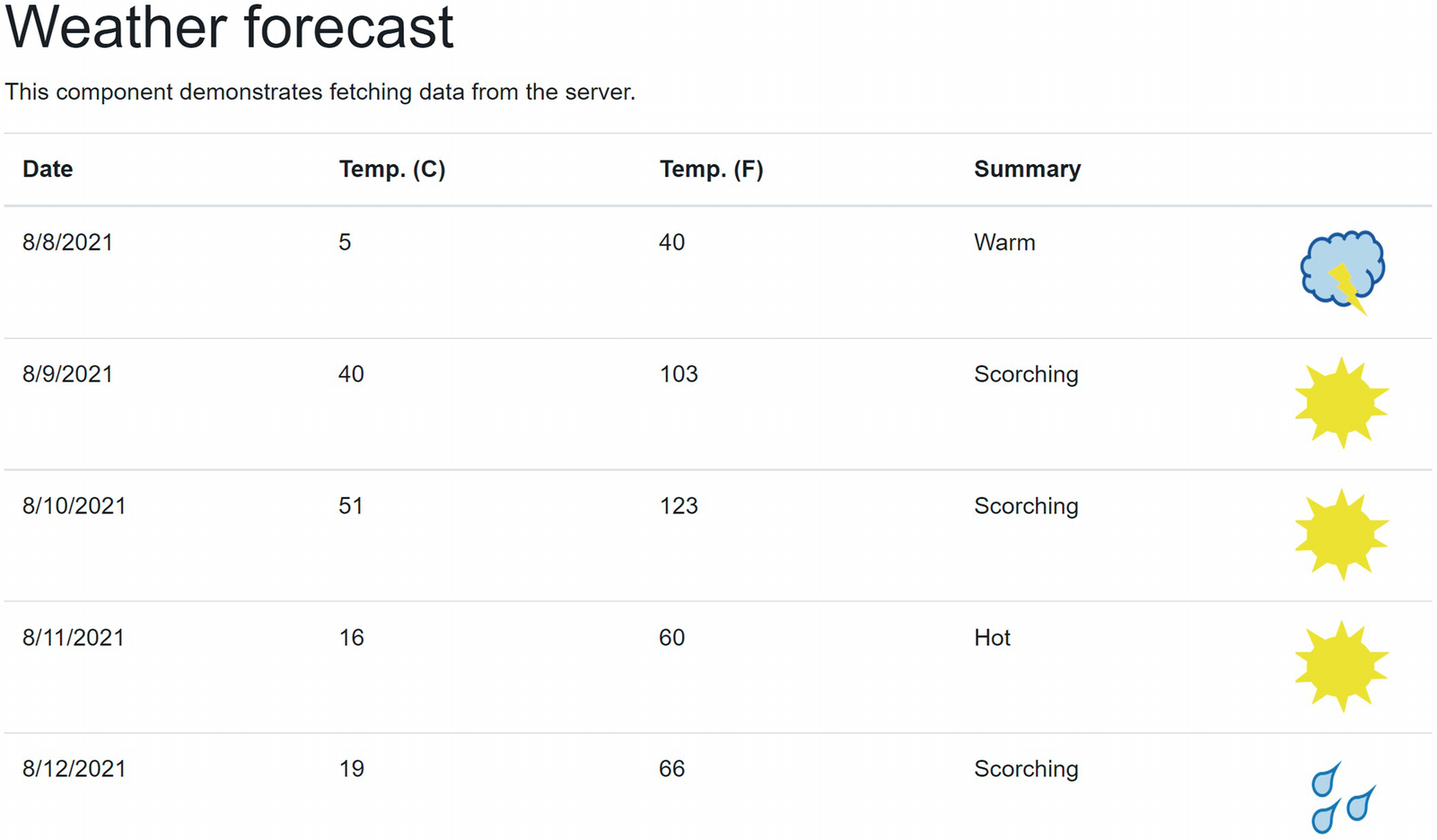
Let us update an existing application that currently uses REST to use gRPC. The source code that comes with this book contains a starter solution called BlazorWithgRPC.Starter. Open this solution. You can run it if you like, but to keep things simple and familiar, it uses the same components from before. Here, the FetchData component uses a WeatherService to request a list of WeatherForecast instances using REST. We will make this use gRPC now.
Let us now describe the contract between the server and client. Since we are using Blazor, we can use the Shared project to generate the code for both.
Installing the gRPC Tooling
The first thing that we should do to use gRPC is to add a couple of packages to the Shared project (take the latest stable version of each):
Google.Protobuf
Grpc.Net.Client
Grpc.Net.Client.Web
Grpc.Tools
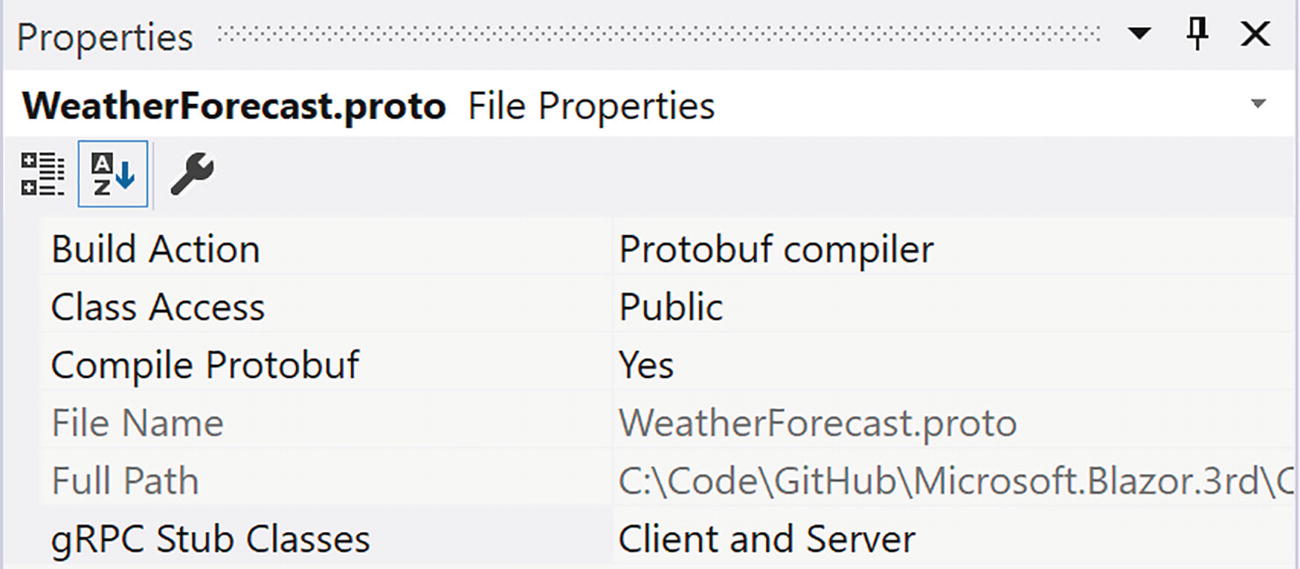
Now add a new text file called WeatherForecast.proto. When you are using Visual Studio, you should set the Build Action to Protobuf compiler as in Figure 13-1.
Figure 13-1
Proto File Settings
When you are using another tool like Visual Studio Code, you can directly set the build action in the project file as in Listing 13-1.
When you build, the .proto file will generate C# code for the service contract.
Adding the Service Contract
Update the .proto file as in Listing 13-2. First, we choose the syntax to be proto3 syntax. Then we tell it which C# namespace we want the generated code to use.
So what should the service contract look like? A service contract consists of at least one method, a mandatory request message and mandatory response message. When declaring a contract, you should focus on the messages first, so let us think about the request message. We don’t have any arguments for the getForecasts method, but we still need to declare the request message with zero parts as in Listing 13-3. Should we decide later that we need an extra argument, we can easily add it to this message.
message getForecastsRequest {
}
Listing 13-3
Declaring the Request Message
The response message does contain data: a list of weatherForecast instances. First, we declare the weatherForecast message as in Listing 13-4. This message has four fields: the date using the google.protobuf.Timestamp type – kind of like DateTime, the temperatureC using the int32 type, a summary of string type, and finally the image which is of bytes type, representing a collection of byte. As you can see, the types used in the proto IDL kind of match with .NET types (but other language mappings such as Java exist too).
message weatherForecast {
google.protobuf.Timestamp date = 1;
int32 temperatureC = 2;
string summary = 3;
bytes image = 4;
}
Listing 13-4
The WeatherForecast Message IDL
To use the google.protobuf.Timestamp type, we do need to import this as in Listing 13-5.
import "google/protobuf/timestamp.proto";
Listing 13-5
Using the Timestamp Type
As Listing 13-4 illustrates, each field also has a unique number which is used to identify the field during serialization and deserialization. With JSON and REST, each field is identified through its name; with Protobuf, the unique number is used which results in faster and more compact serialization.
The getForecastResponse message from Listing 13-6 is declared as a list of weatherForecast instances, using the repeated keyword. In C#, this will generate a Google.Protobuf.Collections.RepeatedField<T> type which implements IList<T>.
message getForecastsResponse {
repeated weatherForecast forecasts = 1;
}
Listing 13-6
The getForecastResponse Message
Now that we have the request and response message, we can create the service contract as in Listing 13-7. Here, we define the protoWeatherForecasts service with just one getForecasts method. Of course, you can add more than one RPC method here.
Build the Shared project; this should compile without errors.
If you are interested, you can look at the generated C# code inside the obj/Debug/net6.0 folder. Look for the protoWeatherForecastsBase and protoWeatherForecastsClient classes inside the WeatherForecastGrpc.cs file.
Implementing gRPC on the Server
With the Shared project ready, we can implement the server side of the gRPC service. Start by adding the following packages to the BlazorWithgRPC.Server project (take the last stable version for each):
Grpc.AspNetCore
Grpc.AspNetCore.Web
Implementing the Service
Inside the Services folder, add a new WeatherForecastProtoService class as in Listing 13-9 which inherits from the generated protoWeatherForecasts.protoWeatherForecastsBase class.
using BlazorWithgRPC.Shared.Protos;
namespace BlazorWithgRPC.Server.Services
{
public class WeatherForecastProtoService
: protoWeatherForecasts.protoWeatherForecastsBase
{
}
}
Listing 13-9
The WeatherForecastProtoService Class
Our service needs the ImageService through dependency injection, so add a constructor as in Listing 13-10. We also need some Summaries.
public WeatherForecastProtoService(ImageService imageService)
=> this.imageService = imageService;
Listing 13-10
Adding Dependencies
We also need to implement the service; this is done by overriding the getForecasts method from the base class as in Listing 13-11. This implementation will generate a couple of random forecasts.
public override Task<getForecastsResponse> getForecasts(
A couple of remarks about this implementation. Protobuf uses the Timestamp type, so we need to convert our DateTime using the FromDateTime method. The Timestamp type is provided through the Google.Protobuf.WellKnownTypes namespace from the Google.Protobuf NuGet package. The Image property is of type ByteString, and we can use the ByteString.CopyFrom method to convert from a byte[]. The base class’s getForecasts method is asynchronous, so we need to return the result as a Task using the Task.FromResult method. In real life, this service would read the data from a database, so it makes a lot of sense that this method is asynchronous.
Adding gRPC
With the service implemented, all that rests (some pun here!) is to add gRPC support to the server. Start by configuring dependency injection as in Listing 13-12.
public void ConfigureServices(IServiceCollection services)
{
services.AddControllersWithViews();
services.AddRazorPages();
services.AddSingleton<ImageService>();
services.AddGrpc();
}
Listing 13-12
Configuring Dependency Injection in Startup
Then add the gRPC middleware to the Configure method as in Listing 13-13. Because Blazor uses the JavaScript library for gRPC, we need to use GrpcWeb implementation instead of regular gRPC. Because gRPC uses the HTTP/2 stack in a way that is not supported by browsers, we need to use a proxy to take care of the proper message format, and that is what gRPC Web does. Regular gRPC clients can still talk to our service, so using gRPC Web does not break regular gRPC.
public void Configure(IApplicationBuilder app, IWebHostEnvironment env)
Think about this. What you had to do was quite simple: inherit from a base class, override the base method, and use Protobuf types with some conversions. No need to think about headers, deserialization, etc.
Building a gRPC Client in Blazor
Now we can add gRPC support to the client project. First, we need to install these packages (take the last stable version for each):
Google.Protobuf
Grpc.Net.Client
Grpc.Net.Client.Web
Grpc.Tools
Creating the ForecastGrpcService
Now add a new class called ForecastGrpcService to the Services folder as in Listing 13-14. To use gRPC, we first need a GrpcChannel which we request through dependency injection. Inside the getForecasts method, we create the gRPC protoWeatherForecastsClient client (generated from the .proto file) passing it the GrpcChannel instance. Then we create the request message and invoke the getForecastsAsync method. This returns a getForecastsResponse instance containing a RepeatedField<weatherForecast>. Now we need to convert these to the regular WeatherForecast instances our FetchData component uses which we do using a LINQ Select.
using BlazorWithgRPC.Shared;
using BlazorWithgRPC.Shared.Protos;
using Grpc.Net.Client;
using System;
using System.Collections.Generic;
using System.Linq;
using System.Threading.Tasks;
namespace BlazorWithgRPC.Client.Services
{
public class ForecastGrpcService
{
private readonly GrpcChannel grpcChannel;
public ForecastGrpcService(GrpcChannel grpcChannel)
=> this.grpcChannel = grpcChannel;
public async Task<IEnumerable<WeatherForecast>?> GetForecasts()
{
var client =
new protoWeatherForecasts
.protoWeatherForecastsClient(this.grpcChannel);
var request = new getForecastsRequest();
getForecastsResponse? response =
await client.getForecastsAsync(request);
return response.Forecasts.Select(f =>
new WeatherForecast
{
Date = f.Date.ToDateTime(),
TemperatureC = f.TemperatureC,
Summary = f.Summary,
Image = f.Image.ToByteArray()
});
}
}
}
Listing 13-14
The ForecastGrpcService Class
Enabling gRPC on the Client
Now we need to configure dependency injection for the GrpcChannel instance. This instance requires a URL to talk to the server, and we will put this in configuration. Add a new appsettings.json file to the client project’s wwwroot folder and complete it as in Listing 13-15.
{
"gRPC": {
"weatherServices": "https://localhost:5001"
}
}
Listing 13-15
The GrpcChannel Configuration
Now we can read configuration while instructing dependency injection how to create a valid GrpcChannel as in Listing 13-16. First, we add a scoped ForecastGrpcService. Then we add a scoped GrpcChannel using a lambda function which reads the configuration and creates a GrpcChannel using the ForAddress method. Because we are using gRPC Web, we need to tell the GrpcChannel to use the GrpcWebHandler.
Run the application and open the browser’s debugger on the Network tab. Now select the Fetch data link. This will make the REST call, and the Network tab should display the amount of data sent and how long this took. Figure 13-3 displays what I got.
Figure 13-3
Using a REST Call
You can click the request row to see what the serialized data looks like, for example, Figure 13-4.
Figure 13-4
REST Using JSON
Restore Listing 13-17 and update the WeatherForecastProtoService to also return 250 rows as in Listing 13-20.
public override Task<getForecastsResponse> getForecasts(
Run again and use the browser’s debugger to capture the network traffic when visiting the Fetch data link. Figure 13-5 shows what I got.
Figure 13-5
Using gRPC with Text Encoding
Not the expected result. This is slower!?! Why? Let us look at the response of the getForecasts request as in Figure 13-6. This is clearly not using binary encoding.
Figure 13-6
The Base-64 Encoded Response
OK. Time to fix this. We need to use gRPC Web with binary encoding. Modify the client’s program to use GrpcWebMode.GrpcWeb as in Listing 13-21.
Run the application again. Now we can see a nice decrease in network traffic size and time as in Figure 13-7. Compare this to Figure 13-3.
Figure 13-7
Using gRPC with Binary Encoding
We can also see that we are using binary encoding as in Figure 13-8.
Figure 13-8
The Binary Encoded Response
Summary
In this chapter, we looked at using gRPC with Blazor. We started with a discussion what RPC means and that gRPC is a modern implementation of RPC. We then created our service contract using a .proto file and generated the code for the messages and service contract. Implementation of the server is easy because we can derive from the generated server base class and override the service contract method. Client side allows us to call the server using again the generated code; we only need to supply the configured GrpcChannel. We then verified if performance was actually better, and we changed encoding to use binary encoding getting the promised performance increase.
 . The dream of RPC was that you would not be able to see the difference. But making calls over a network for a computer has the same efficiency as using a fax machine or mail for us. So designing RPC calls requires some thought and should use chunky interfaces.